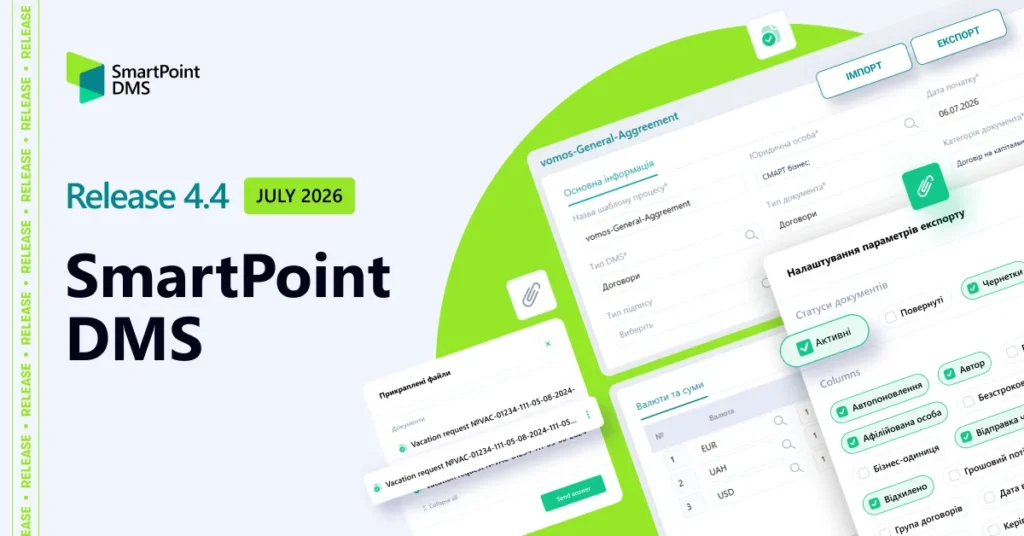
Release 4.4 introduces new functionality in the Administration Center, enhances existing document management capabilities, and expands the API for exchanging document data with external systems and services.
We have improved key scenarios related to document management, notifications, and integration with external business systems.
Below is a detailed overview of the main enhancements.
Document review process
- What has been delivered?
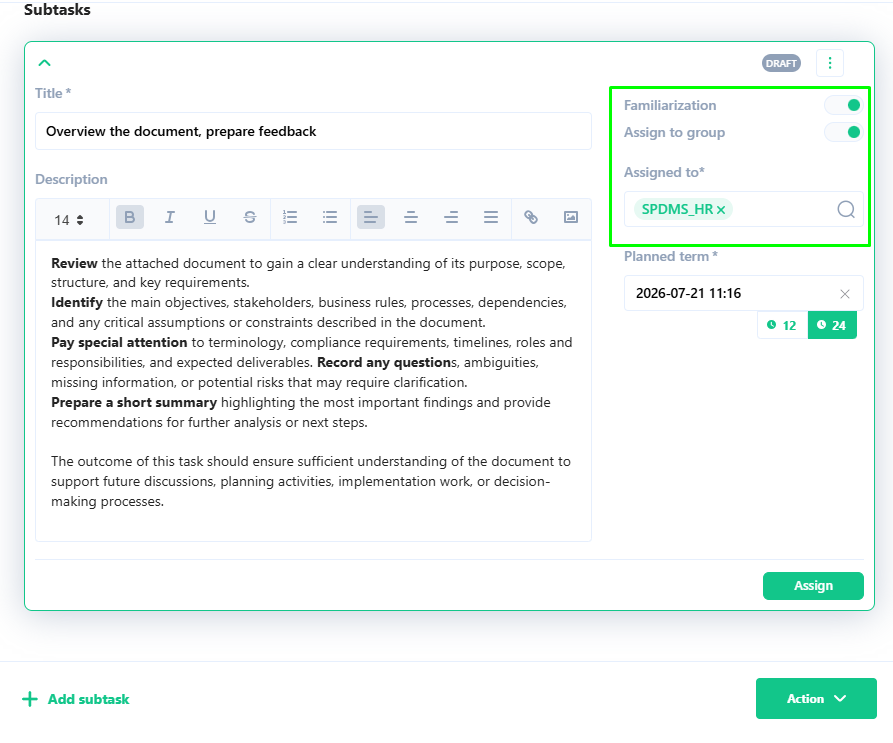
This release introduces the ability to initiate document review tasks during the document approval process. It also adds support for generating a Document Review Report.
Business administrators can now define the approval stage at which document review tasks can be assigned, while users can create review tasks at the designated stage of the approval workflow.
- How does it work?
While completing their approval task, users can create an additional task of the For Review type, provided this option has been enabled by the business administrator. Users simply select the employees responsible for reviewing the document.
The system automatically creates the task and sends notifications to the selected employees requesting them to review the document. If required, the system can also generate a Document Review Report.
- What are the benefits?
This functionality is useful when employees need to review important documents or document updates. It improves control over the review process and helps ensure that all employees review important company documents in a timely manner.
Document registration based on emails
- What has been delivered?
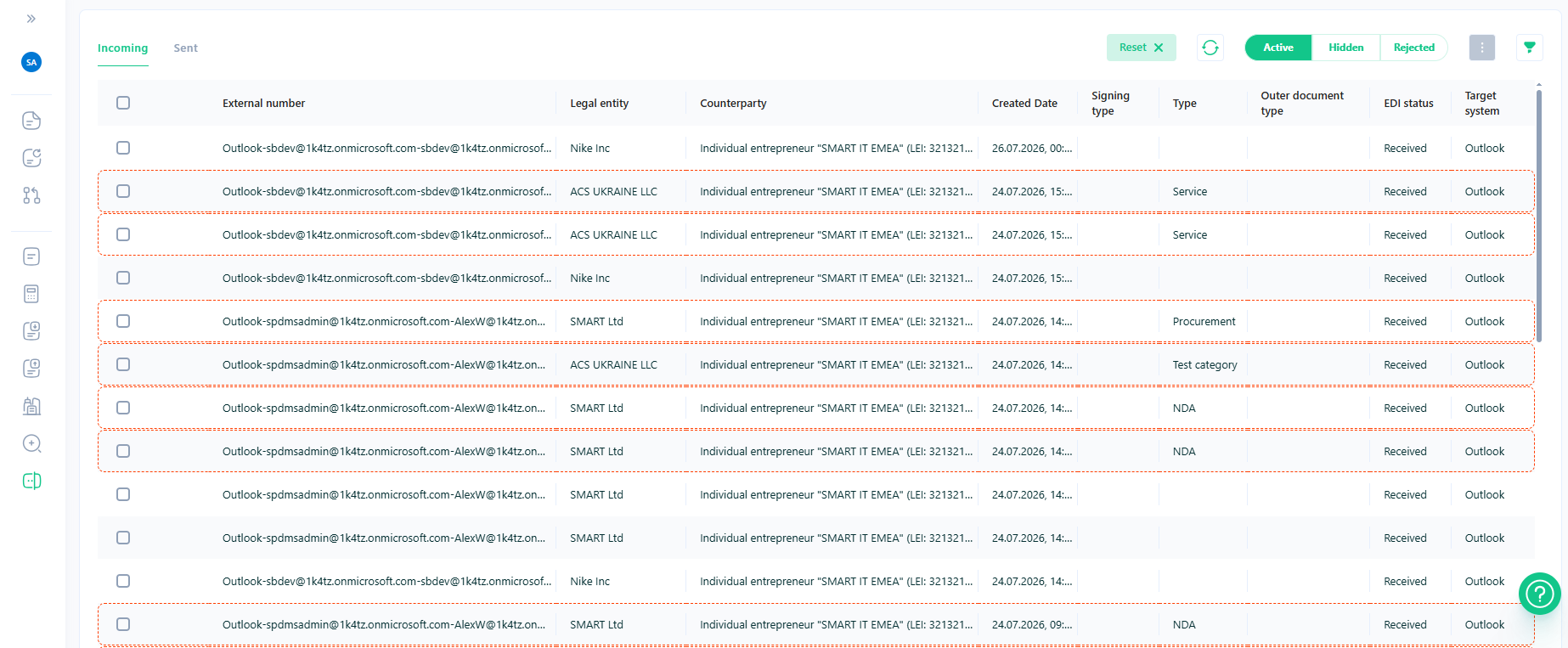
Support for email analysis and automatic document registration based on incoming emails has been introduced.
The email analysis functionality is flexible and can process multiple mailboxes.
Based on email categories, the system determines the appropriate document category or type and automatically creates records in the Registrar workspace.
- How does it work?
After an email is received, the user assigns an email category, which is used to determine the document type. The AI engine then analyzes the email and its attachments and creates the corresponding record in the Registrar workspace in SmartPoint DMS.
- What are the benefits?
The new functionality speeds up email analysis and simplifies the Registrar’s work when processing large volumes of email messages. In addition, email processing reduces the time required to handle large numbers of documents received in users’ mailboxes.
Export to Excel
- What has been delivered?
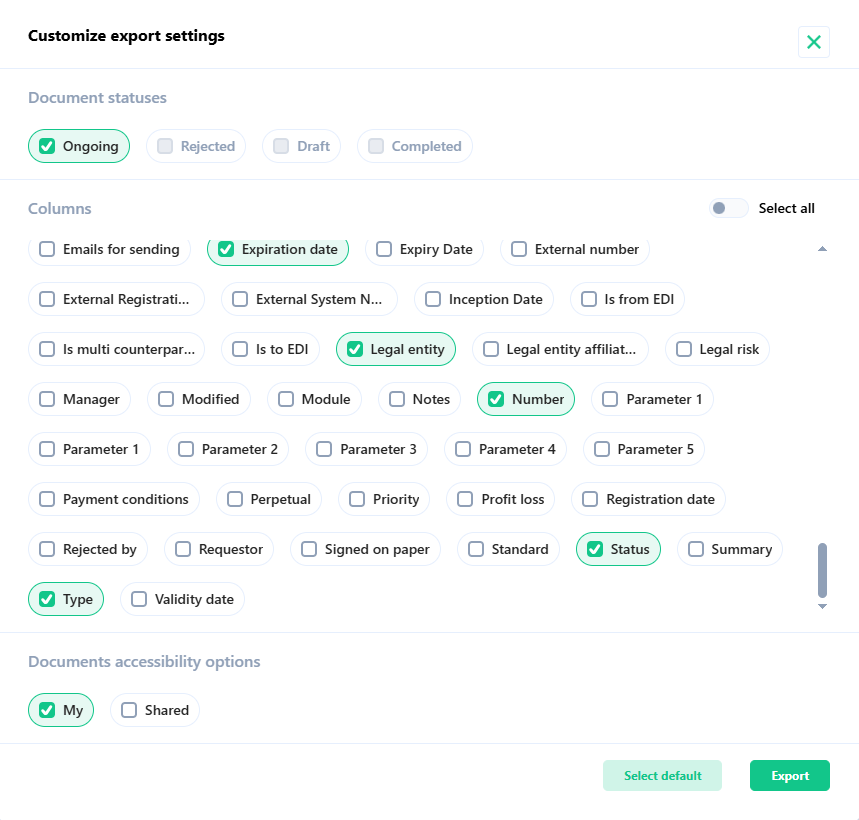
The Excel export functionality has been enhanced with the ability to select the fields to be included in an Excel report. The functionality supports exporting data for specific statuses as well as across the entire system.
- How does it work?
The user selects the required document fields, or all available fields, to be included in the export. The user then specifies whether to export their own documents or documents they have permission to access and clicks Export. The report is generated in the background and sent to the email address of the user who initiated the export.
- What are the benefits?
When working with the document register, Excel reports can be generated based on any data stored in the system. This enables flexible analytical reporting and further data analysis. The exported data can also be used in Excel or Power BI to create reports for managers and business analysts to support decision-making.
Dedicated section for notification and reminder settings in the Administration Center
- What has been delivered?
A dedicated section for configuring notifications and reminders has been introduced in the Administration Center. The list of notification categories has also been expanded. For example, notifications can now be sent when a new comment is added, when a document is shared, and in other scenarios.
- How does it work?
In the Administration Center, business administrators can configure notifications based on various document- and task-related conditions. To do so, they simply create the required entry in the notification directory. The system then monitors the configured triggers and automatically sends notifications or reminders to users according to the defined settings.
- What are the benefits?
This functionality enables customers to define when notifications should be sent, avoid overwhelming users with excessive notifications, and prioritize the notifications that matter most.
Import and export of configured approval routes
- What has been delivered?
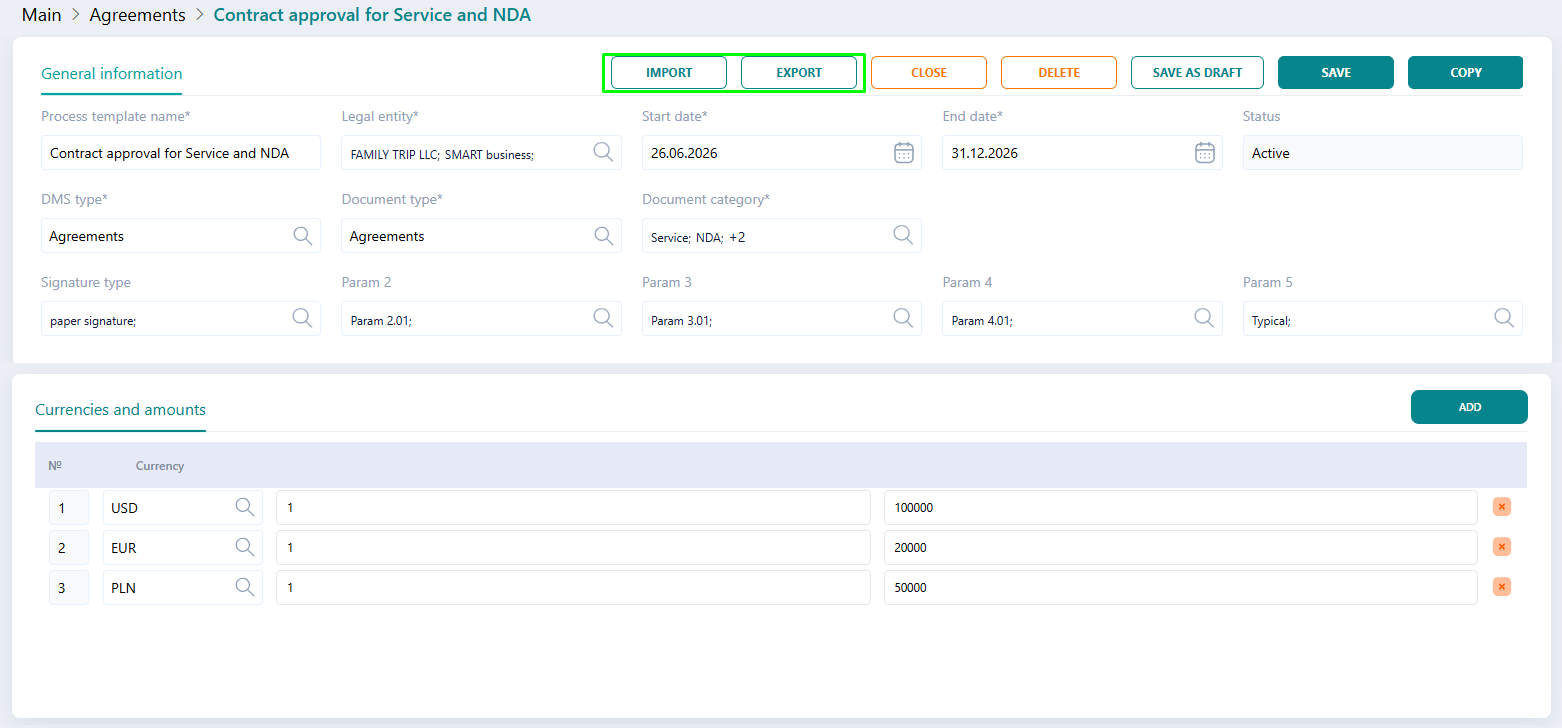
New functionality has been added to the Processes section of the Administration Center, allowing configured document approval routes to be imported and exported.
- How does it work?
To import or export approval route schemes that are preconfigured (for example, in a test environment), the business administrator can use the Import and Export buttons.
- What are the benefits?
The new import and export functionality for approval route templates enables business administrators to apply preconfigured approval route schemes more quickly and avoid errors associated with manual migration.
Document exchange with Vchasno. EDO and PTAH API
- What has been delivered?
The core document exchange scenarios with Vchasno.EDO and PTAH API have been implemented. This expands the available document exchange scenarios with counterparties and enables users to work with documents directly from the electronic document management system interface, without having to open external services to exchange documents with counterparties.
- How does it work?
When the SmartPoint DMS QES & Integrations module is available, customers can exchange documents with counterparties using Vchasno.EDO or PTAH API. To enable this functionality, connectors to the corresponding services are configured, integration processes are defined, and data exchange is tested in the customer’s environments. Once the configuration is complete, documents received from counterparties, as well as documents that need to be sent to counterparties, can be processed directly in the SmartPoint DMS interface.
- What are the benefits?
Exchanging data with counterparties through integration with Vchasno.EDO and PTAH API significantly accelerates document processing and registration, creates a unified repository for documents received from these systems, and ensures the integrity of information related to document processing and interactions with counterparties.
Open API for integration with business systems (ERP, CRM, etc.)
- What has been delivered?
The SmartPoint DMS API has been significantly enhanced in this release, providing extended integration capabilities with external systems and services. Detailed documentation of the core services and system methods enables customers to configure or extend integrations independently using their own technical specialists.
- How does it work?
When data needs to be stored or exchanged bidirectionally between SmartPoint DMS and customer systems (ERP, CRM, etc.), the existing system API can be used without involving SMART business developers. In addition, business administrators can define the workflow steps at which data exchange with other systems should be initiated, while system administrators can specify the fields to be included in the data exchange.
- What are the benefits?
The ability to configure integrations independently provides customers with greater flexibility in managing the costs of maintaining SmartPoint DMS and integrating it with their business systems. Organizations with their own technical expertise can independently adapt SmartPoint DMS to their business processes and existing systems.