EN
PL
UA
GE
AZ
ES
Advantages
Features
Modules
Integrations
Resources
About us
Consultation
Events
# All
# Data & AI
# Release
Available as recording
Applications and Prospects of AI Technologies in Electronic Document Management
#
Data & AI
Volodymyr Moskalenko
Product Owner / Systems Architect
Available as recording
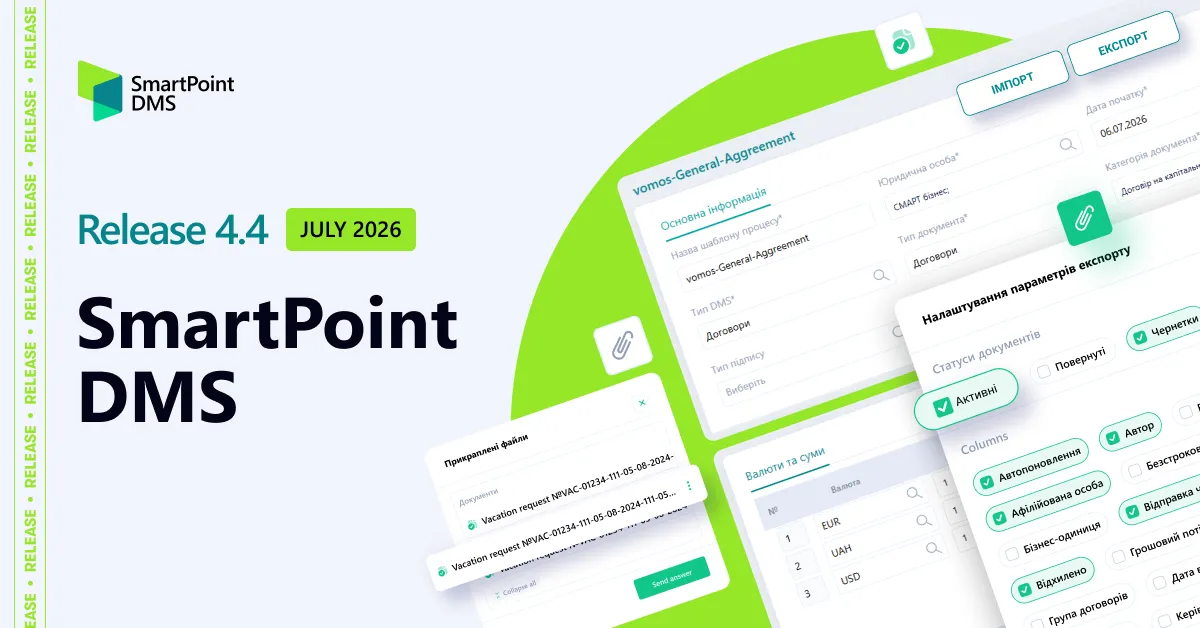
SmartPoint DMS Release 4.1
#
Release
Volodymyr Moskalenko
Product Owner / Systems Architect
Немає подій
Blog
All
News
Presentations
Releases
April 14th, 2026
18 min read
What Is Electronic Document Management System (EDMS) and Why Does Your Business Need It Today?
According to market analysis by Fortune Business Insights
, document workflow automation is now one of the key drivers of business growth. In 2024, the global electronic document management systems (EDMS) market was valued at USD 7.16 billion, and growth has continued to accelerate since then. By 2032, the market is expected to nearly triple, reaching USD 24.34 billion. A compound annual growth rate of 16.6% sends a clear signal: businesses are rapidly moving away from paper-based and manual document workflows toward digital solutions that enable faster, more secure, and more scalable operations. The analysis also shows that demand for DMS (Document Management Systems) is growing across virtually all sectors of the economy. In 2024, the largest share was held by the financial sector (BFSI) at 22%, which is expected, as financial institutions handle large volumes of document flows subject to strict regulatory requirements. Across other industries — such as healthcare, manufacturing, retail, real estate, the public sector, IT and telecommunications, education, and others — the market is distributed relatively evenly. This indicates a high level of diversification and highlights the universal need for document workflow automation, which has become an integral part of business transformation.
What Is Electronic Document Management System (EDMS)?
An
Electronic
Document
Management
System
(EDMS)
is a comprehensive software solution for the exchange and processing of electronic documents in digital format. It serves as a modern and more efficient alternative to traditional paper-based document management, enabling companies to effectively create, edit, sign, register, store, and transfer electronic documents within a digital environment. EDM covers the entire document lifecycle — from creation and approval to storage, archiving, and secure exchange among all participants in the process. Specialized solutions support this workflow by providing structured storage, version control, approval routing, the ability to use a qualified electronic signature (QES) and secure data exchange.
Benefits of Using an EDMS
Implementing electronic document management software provides businesses with tangible advantages on several levels:
Process
optimization
for
document
creation,
approval,
and
signing
— documents are created, reviewed, and signed faster, without unnecessary delays or duplication of information.
Improved
accuracy
and
reduced
risks
— automated data population, version control, and routing minimize errors caused by the human factor.
Security
and
regulatory
compliance
— encryption, audit trails, and digital signatures ensure data protection and compliance with legal requirements.
Centralized
storage
and
easy
access
— all electronic documents are stored in a single repository, enabling quick search and full visibility of change history.
Scalability
and
integration
— an EDMS easily integrates with ERP, CRM, and other systems, while the platform scales alongside the business.
Thanks to these benefits of using an EDMS, it becomes a foundation for effective digital transformation within a company.
Who Needs EDMS
Electronic document management systems are especially relevant for companies with a high volume of operations, complex organizational structures, and active collaboration with contractors. They are particularly valuable in industries where the speed of document approval and process control directly impacts financial performance:
Retail
— an industry with numerous outlets, suppliers, and contracts, where it is essential to centralize document creation and approval processes, ensure fast exchange with contractors, and maintain transparent control across the network. This also includes HoReCa and chain-based services, as these businesses operate distributed networks that require process standardization, centralized control, and prompt approval of both internal and external documents.
Distribution
— businesses with continuous movement of goods and documents between warehouses, partners, and retail chains, where clear approval workflows, version control, and minimized process delays are critical.
Manufacturing
— enterprises with complex regulations, technical documentation, and multi-level approvals, where traceability of changes, compliance with internal standards, and audit readiness are essential.
Logistics
and
transportation
— companies for which the speed of document exchange and accuracy of supporting documentation directly affect operational efficiency and fulfillment of contractual obligations.
Financial
sector
— organizations with strict requirements for data security, internal controls, and regulatory compliance, where every document must be protected, traceable, and properly approved.
Telecom
and
Internet
providers
— companies with complex contract structures and large customer bases, where systematic document management and fast request processing are key.
Why Paper-Based Document Workflows Are Increasingly Becoming a Barrier for Modern Businesses
Despite active digitalization and the transition to electronic document management, paper documents remain one of the most common barriers to efficient operations. Every manual signature, physical document transfer, or search for a paper copy slows processes down and consumes time that teams could otherwise dedicate to higher-value tasks. As a result, more organizations are transitioning to electronic document management as a foundational step toward improving operational speed, strengthening security, and enhancing collaboration across departments.
Types of Electronic Document Management
EDM can be classified based on various criteria, such as document types and data exchange volumes. Below are more detailed descriptions of the main types, along with a classification by document type:
Internal
— This type involves document exchange within a single organization. It is used to optimize internal workflows, simplify communication between departments, and accelerate decision-making. Internal electronic document management may cover a wide range of documents, including HR, administrative, inventory, accounting, archival, and more.
External
— This type of EDM includes the transfer of data and documents between companies, government institutions, and partners and counterparties. It helps automate document exchange processes, reduce errors, and shorten the time required for processing and approvals. External electronic document management may include records related to orders, contracts, invoices, logistics, licenses, and more.
Classification by Document Type:
Managerial
— Documents related to management activities, including reports, presentations, development plans, strategic documents, and more. They are used to support decision-making at various levels of management.
Warehouse
— Associated with warehouse and inventory management, including waybills, goods acceptance and transfer certificates, inventory records, stock reports, and more.
Accounting
— Pertains to financial accounting and reporting, including invoices, tax returns, income and expense statements, financial reports, and similar documents.
Archival
— Covers records that must be preserved in archives for extended periods. These may include documents on internal operations, contracts, reports, extracts from meeting minutes, internal orders, and more.
This classification covers only the primary document types within the context of electronic document management. Additional specialized categories may exist depending on the needs of a particular organization or industry.
Key Features of an Electronic Document Management System (EDMS)
By 2026, the electronic document management market has moved well beyond the experimental stage and demonstrates clear directions for development. Below are the key technology trends shaping the architecture of modern DMS solutions:
Centralized
document
storage
and
a
process-driven
approach
— Organizations are moving away from fragmented file folders toward structured digital repositories where documents are stored according to unified standards. This ensures version control, transparency of changes, and quick access to relevant information. Such an approach transforms document management from a set of disconnected actions into a continuous process integrated into daily operations.
Example: Previously, a company’s contract with a vendor might have been stored in multiple copies — one with Legal, another in Finance, and a third with the project manager. This often led to confusion: different document versions, approval delays, and the risk of losing important edits. After implementing a DMS solution, all contract versions are stored in a single digital repository. The system automatically tracks changes, displays the edit history, and allows multiple departments to work with the latest version simultaneously. This eliminates duplication risks and accelerates approvals.
Integrations
with
other
systems
and
solutions
— Electronic document management does not operate in isolation; it becomes part of ERP, CRM, and HRM processes. This helps prevent data duplication and creates a unified information environment. APIs and no-code/low-code tools play an important role by reducing integration setup time and making these capabilities accessible even to companies without large IT departments.
Cybersecurity
and
regulatory
compliance
— Growing data volumes and stricter regulatory oversight are driving businesses to prioritize encryption, user activity audits, and event logging. Different countries have local requirements for electronic signatures, archiving, and the storage of electronic documents, and compliance with these regulations becomes a critical condition for operations. Businesses increasingly operate under global regulatory pressure, where adherence to data security requirements is fundamental to stable operations. Modern DMS solutions are therefore more frequently equipped with built-in compliance mechanisms to reduce the risk of fines and loss of customer trust.
Cloud
and
mobile
solutions
— A distinct trend in 2026 is the cloud-first approach: most new systems are designed with cloud infrastructure at their core, ensuring document accessibility from any device. At the same time, the role of mobile interfaces continues to grow, enabling users to work with documents on the go without compromising efficiency or security.
Artificial
intelligence
— AI is no longer perceived as a buzzword and has become a practical tool in modern DMS solutions. Today, artificial intelligence is used to recognize and classify documents, automate approval workflows, and analyze risk areas. This lays the foundation for the next stage of development, where DMS platforms with embedded AI capabilities evolve into intelligent business assistants.
Artificial Intelligence in Electronic Document Management
Artificial intelligence in document management systems is a practical tool that reduces routine workloads for teams and improves process accuracy through the following capabilities:
Intelligent
document
recognition
and
classification
— AI-powered electronic document management systems can automatically identify document types, whether contracts, invoices, certificates, HR forms, and more. This eliminates the need for manual sorting and significantly reduces the risk of human error. The system can also extract key metadata — such as date, counterparty, amount, or contract number — and automatically populate the relevant fields in accounting systems.
As a result, long-standing time-consuming tasks disappear: manual data entry, constant copying of information between systems, and verification of input accuracy. AI performs the initial “reading” of the document, while the user simply confirms the final details.
Example:
In the finance department, invoices are automatically recognized and assigned to the appropriate category. This nearly halves processing time and minimizes data duplication — a common issue in manual workflows.
Automated
approval
workflows
— AI can generate approval routes based on document content. This means the system determines which departments or specific employees need to review a document and in what sequence. It can also highlight where delays occur and identify bottlenecks in the approval process.
Example:
A contract with a new vendor is automatically routed first to the Legal department and then to Finance. This eliminates approval chaos and reduces the risk of missing critical reviews.
Identifying
contract
bottlenecks
and
inconsistencies
— AI can analyze contract text to detect potential issues such as missing fields, duplicated information, or non-compliance with established standards. It highlights critical clauses that may create legal or financial risks and suggests possible corrections.
Example:
If the system detects an incorrect tax identification number for a counterparty or a mismatch in line-item amounts on a tax invoice, it automatically flags the document for review and proposes corrected versions based on previously validated data. This helps prevent errors that could lead to fines or delays in financial operations. While it does not replace a finance specialist, it serves as a highly accurate pre-screening tool that reduces the number of minor errors that often consume time and energy.
Document
generation
— AI in DMS solutions helps create documents from templates that are automatically populated with data from ERP or CRM systems. This ensures standardization of legal and organizational documents while eliminating the need for manual drafting.
Example:
An employee leave order is generated automatically based on data from the HRM system. Employees do not need to enter information manually — the system retrieves the required data on its own, saving time and reducing the likelihood of errors. As a result, the organization gains a unified “document language”: certificates, contracts, explanatory notes, requests, and internal policies are created consistently, without inconsistent wording or conflicting interpretations. This brings greater stability and predictability to document workflows.
SmartPoint DMS: Meeting Modern Market Demands
SmartPoint
DMS
is a modern cloud-based electronic document management system built on Microsoft technologies. It automates daily document operations — creation, approval, signing, storage, and search. The solution covers the full document lifecycle and scales easily as the business grows. The system is composed of modular components that companies can combine according to their workflows, while built-in AI algorithms, together with Microsoft 365 and Power Platform capabilities, significantly speed up document processing and reduce operational costs.
AI in SmartPoint DMS
SmartPoint DMS integrates Microsoft Azure Document Intelligence technologies, offering a suite of capabilities that includes OCR, NLP, and IDP. Thanks to this, the system can automatically:
Recognize text from images, PDFs, scans, and photocopies
Extract key metadata such as dates, amounts, contract parties, details, and document numbers
Classify documents by type
Create a document card without manual input
Trigger the appropriate business process (registration, approval, sending for signature, archiving)
OCR and NLP support allows the system to handle documents of various formats and origins — from official contracts to photos of invoices taken on a phone. For companies, this eliminates bottlenecks in document workflows and minimizes human error. IDP functionality in SmartPoint DMS ensures automatic document routing: if a file contains a payment request, the system triggers the financial process; if it’s a work completion certificate, the corresponding approval workflow starts. This optimization can save dozens of hours each month. Learn more about AI applications in electronic document management
here
.
SmartPoint DMS Modules
AI-powered tools enhance SmartPoint DMS modules, ensuring fast document processing, flexible data control, and smooth collaboration between users:
Agreements
— This module provides full control over the entire lifecycle of contracts. The system allows the creation and storage of contract and amendment records in a structured format, ensuring transparency and organization in document management.
Flexible approval workflow settings enable multiple review iterations, while version control guarantees that no change goes unnoticed. Using templates simplifies document creation, and fast search — including for archived documents — allows users to quickly locate files, assign tasks to specific employees or groups, and leave comments for effective collaboration.
Internal
Documents
— This module automates handling of all company internal and administrative documents. It covers processing of employee requests such as leave, sick days, business trips, or tender applications.
With integration to electronic document management providers, documents can be signed and exchanged online directly within the system. Task notifications can be sent via Outlook, Teams, or chatbots, making the process highly convenient. Additionally, the module supports scanning with automatic metadata recognition, speeding up document uploads and reducing the risk of errors.
External
Documents
— This module manages incoming and outgoing company documents. It allows routing workflows to be configured based on parameters such as document type, amount, or currency.
Integration with EDM providers enables online signing and rapid document exchange with partners or government agencies. Comprehensive record management ensures that all documents go through registration, approval, execution, and archiving, providing full control over the process. Users receive notifications via corporate tools, and task tracking helps prevent delays while maintaining process transparency.
Financial
Requests
— This module automates the approval of payment requests and other financial documents. It provides a transparent approval process with ERP integration, making financial operations more controlled and accurate. Each request is accompanied by step-by-step tasks, and automation of payment request processing prevents unnecessary delays. Requests can be approved via notifications or directly in Microsoft Teams, fully integrating the workflow into the company’s daily operations.
Want to see how SmartPoint DMS, enhanced with AI tools, can improve the efficiency of your document workflows? Schedule a consultation and get answers tailored to your business needs.
Schedule a Consultation
What to Expect from DMS Solutions in the Next 3–5 Years
The DMS market will undoubtedly continue to evolve, with the coming years defined by several key trends:
Increasing Role of AI
AI in DMS will become more
predictive
and
analytical
. Its function will go beyond automating routine tasks — systems will begin offering decision guidance and flagging potential issues before they become critical.
Key
development
areas:
Contextual
document
analysis
— Algorithms will not only identify document types but also detect internal data relationships, patterns, and trends. For example, AI could anticipate financial risks based on historical data and counterparty behavior patterns.
Proactive
anomaly
detection
— The system will highlight unusual indicators, potential conflicts, or inconsistencies before the document reaches the approval stage.
Automation of Complex Processes Previously Done Manually
In the next few years, AI will handle workflows that previously required human intervention:
Automatic preparation of document bundles for review by multiple departments,
Generation of analytical insights from combined data across finance, procurement, HR, and other areas.
Data-Driven Decision Support
AI
will
act
as
a
consultant,
not
a
replacement
for
managers
, providing:
collection of historical and current data to suggest optimal courses of action,
recommendations for process optimization based on analysis of large volumes of documents.
Intelligent Analytics as the New Standard
In the medium term, AI will form the backbone of document management analytics, enabling:
Forecasting workloads for departments and employees based on document volumes and processing timelines,
Analyzing connections between financial, legal, and operational documents to identify potential risks,
Early detection of anomalies in documents and trends in approval workflows, allowing timely interventions before business impact occurs.
According to Forbes, citing a
PwC (PricewaterhouseCoopers) study
, companies that implement even basic AI approaches for data extraction and analysis reduce labor costs for these processes by roughly one-third. The future of electronic document management will be shaped by an ecosystem built on advanced technologies. This is precisely why SmartPoint DMS holds a significant advantage: it is built on Microsoft technologies, a company setting global standards in innovation, AI, and enterprise software. SmartPoint DMS evolves proactively — the platform adapts to new capabilities, receives regular updates, integrates with AI tools, and supports technologies that will define how businesses manage documents tomorrow. Implementing SmartPoint DMS gives you a technological advantage today that will work for your business in the future, and SMART business is here to make it happen!
Schedule a Consultation
Frequently Asked Questions about EDMS
What is the difference between DMS and Cloud Storage (OneDrive)?
Cloud storage services allow you to store files, whereas EDMS platforms manage documents throughout their entire lifecycle: creation, approval, signing, archiving, and version control. An EDMS ensures process transparency and integration with business systems, which a simple storage solution does not provide.
Is EDMS secure for sensitive data?
Yes. Modern EDMS solutions use encryption, user activity auditing, and access control, ensuring secure document handling even in industries with strict security standards regarding sensitive information.
What are the three main types of EDMS?
Electronic document management systems can be classified by various parameters, such as document type, purpose, or level of automation. However, they are commonly divided based on access and deployment model:
On-premises
— the system is installed on the company’s servers, and all documents and data remain under the organization’s full control.
Cloud-based
— documents are stored in the cloud and are accessible only to authorized users via secure channels. Scaling and updates are handled automatically.
Hybrid
— combines on-premises and cloud deployment, allowing companies to manage documents flexibly based on accessibility, performance, and corporate security policies.
What is an example of EDMS?
We recommend considering SmartPoint DMS by SMART business — a cloud-based solution built on Microsoft technologies that automates the full document lifecycle and integrates with ERP and CRM systems, as well as AI tools.
Is Google Drive an EDMS?
No. Google Drive is a cloud file storage service. It does not provide the full document lifecycle, approval workflows, or integration with business processes that are characteristic of an EDMS.
Read
March 30th, 2026
4 min read
SMART business research results: key priorities, challenges, and expectations of business leaders regarding document workflow automation systems
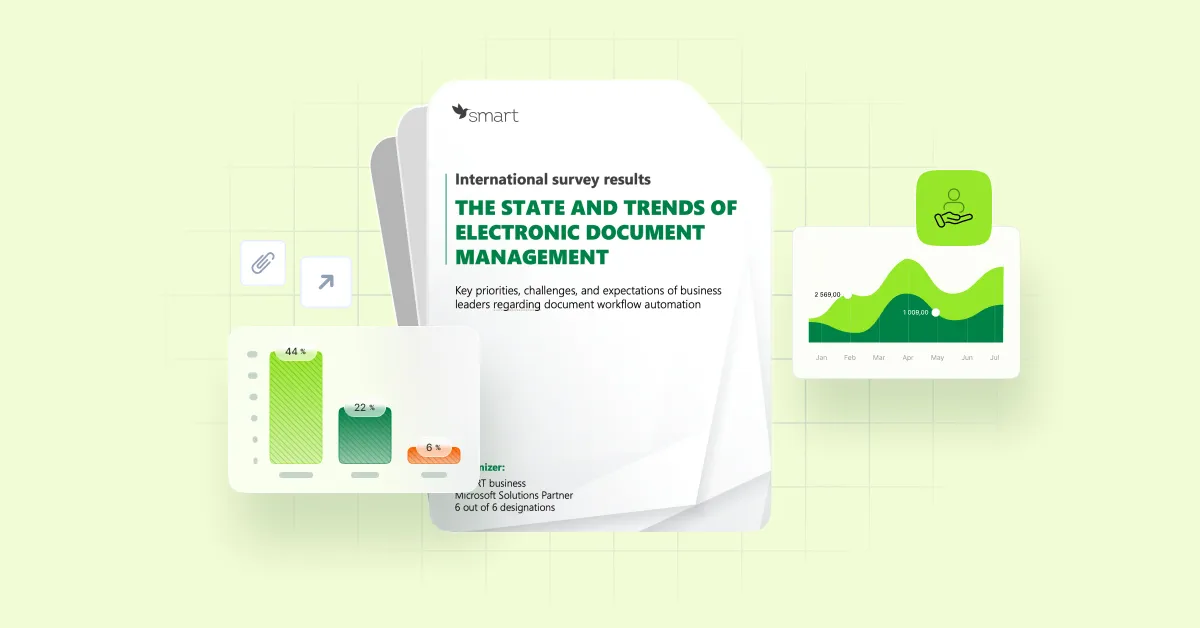
In Q4 2025, SMART business — a Microsoft Solutions Partner — conducted an international survey of executives from mid-sized and large companies to explore key challenges and current trends in electronic document management (EDM). The survey included executives from more than 50 companies, including C-level leaders and heads of functional areas from global, international, and local organizations.
The
study
aimed
to
identify:
the level of document workflow digitalization across companies of different sizes,
the main operational and organizational challenges in implementing EDM and document management systems,
business priorities for document workflow automation in the coming years,
executives’ expectations of modern IT solutions in document management.
The survey results showed that, despite ongoing business digitalization, document workflow remains an area with significant potential for optimization. Many companies still operate with fragmented or partially automated processes, which directly affects their operational efficiency and competitiveness. At the same time, the study indicates that demand for document workflow digitalization is growing — along with its role in transforming and modernizing business processes.
Download the full report
Key Insights from the Study
Based on the respondents’ answers, SMART business experts identified consistent patterns in how companies approach document workflow management, as well as the key factors influencing the speed and quality of transformation in this area.
The
study
results
show
that:
1. Most companies still operate in a hybrid document workflow model
As of the end of 2025,
79.5%
of companies combine paper-based and digital processes. Only
20.5%
of respondents reported having fully transitioned to a digital document workflow. From an operational perspective, a hybrid model typically introduces risks such as longer document processing cycles (due to parallel handling of different formats), duplication of efforts, and limited process transparency.
2. The level of digitalization directly depends on company size
Among global companies, 44% have fully digital document workflows.
Among local companies, this figure is only 6%.
These figures highlight differences in operational efficiency: larger organizations gain advantages through faster and more standardized processes, while local businesses more often face scalability constraints.
3. Key challenges are process-related rather than technological
According to surveyed executives, the main challenges in implementing electronic document management are operational and organizational, including:
large volumes of paper archives — 45.5%
duplication of processes and repeated data entry — 36.4%
lack of a centralized document repository — 34.1%
These findings indicate that transforming document management approaches is essential to ensure successful implementation of EDMS.
4. Expectations of EDM vary depending on the level of digital maturity
Companies’ priorities for digitalization depend on the current state of their document workflows:
For companies using a hybrid model, key priorities include ease of use, integration with other business systems, and basic process automation.
For companies with fully digital workflows, priorities shift toward advanced automation, the use of AI tools within DMS solutions, and compliance with security requirements.
These expectations demonstrate that the focus of digitalization is shifting from initial implementation to optimization and further development of system capabilities.
5. EDM is a foundation of digital transformation
Survey respondents rated the role of electronic document management in business digital transformation at 4.32 out of 5. This score confirms that document workflow is now one of the key drivers of operational efficiency in modern organizations.
Why This Study Matters for Business Leaders
The survey results provide a clear view of the current state of document workflow digitalization and help define key technological directions for further business transformation. For executives, these insights serve as a practical tool to validate their current approaches and set development priorities in line with market trends.
In
summary,
the
SMART
business
study
confirms
the
following:
Document workflow digitalization is not yet complete for most companies, meaning there is still significant potential to improve process efficiency.
Business competitiveness is increasingly dependent on the speed of information processing, process transparency, and the level of technological maturity.
Over the next 2–3 years, key drivers of development will include the adoption of AI (and its transition from an experimental technology to a standard business tool), workflow automation, and the integration of document management with ERP and CRM systems.
Download the full report
Read
March 30th, 2026
20 min read
How to Choose an Electronic Document Management System and an Implementation Partner?
Today, selecting an electronic document management system (EDMS) is a strategic decision that determines a company’s operational resilience, decision-making speed, and ability to scale without sacrificing efficiency. In this context, it is important to evaluate not only the system’s functionality but also its integration capabilities, platform maturity, and the solution’s readiness to support the company’s long-term growth.
According to Global Information Inc.
, a company that aggregates global market research, the electronic document management systems segment continues to expand and may surpass $12 billion in the coming years, driven by an annual growth rate of 14.6%. This momentum is fueled by remote work, the need for shared file access, growing demand for deeper analytics, automation powered by AI and ML technologies, and stricter data governance requirements. As a result, companies should choose a solution that will remain relevant not only a year from now but five years down the line — together with a partner capable of supporting ongoing development rather than ending the collaboration immediately after the implementation project is completed.
Why Choosing the Right EDMS matters today?
Document management is no longer just an operational function — it directly impacts decision-making speed, regulatory compliance, and a company’s overall competitiveness. Several factors are prompting businesses to reassess how they handle documents today:
Growing
data
volumes
(
77 million terabytes of data
are created globally every day) — companies are working with ever-expanding volumes of information, including contracts, financial reports, HR records, and internal policies. This growth is driven by multiple factors: business processes are expanding, new products and markets are emerging (automatically generating more documentation), regulatory requirements mandate retaining significantly more reports and archives, hybrid and remote work create additional digital footprints in the form of requests, approvals, and internal communications, integrations with ERP, CRM, and HRM systems introduce new data streams, and companies increasingly rely on analytics for decision-making — prompting them to collect and store more metrics. As a result, paper-based processes cannot keep up with this load, while disorganized storage in file folders leads to time loss and errors.
The
cost
of
errors
— in an environment where every contract or report carries legal weight, even a minor inaccuracy can be expensive. A lost document, duplicate versions, or a missed approval deadline represent tangible financial and reputational risks.
Forbes, citing research by Ardent Partners
— a research and consultancy company — notes that the average cost of manually processing an invoice is approximately $10.89 per document. This figure escalates quickly when hundreds or thousands of documents flow through a company each month, clearly demonstrating how even a single inefficiency can translate into substantial financial losses. Importantly, this refers to traditional processing methods based on manual tasks and paper workflows. By contrast, automating document management with specialized DMS solutions equipped with AI tools helps reduce such costs.
Another Forbes article
reports that an AI-powered invoice automation platform can process more than $1 billion in invoices annually, saving companies around 15,000 working hours and delivering a positive return on investment within the first year of system adoption.
Security
requirements
and
regulatory
pressure
— legislation in the financial, healthcare, and public sectors requires organizations to retain far more documentation than in the past, including reports, audit records, archives, and electronic signatures. For example, banks and insurance companies must retain transaction histories, loan files, and audit reports for 5–10 years to support potential inspections. Healthcare providers are required to store electronic patient records, test results, and treatment histories in accordance with confidentiality regulations (such as
HIPAA
in the U.S. or
GDPR
in the EU), since even a single data breach can lead to litigation. Government institutions must archive meeting minutes, directives, decisions, and procurement documentation to ensure auditability and transparency in public spending. Moreover, the shift to electronic document management has introduced new requirements: organizations must retain not only the document itself but also proof of its authenticity — including electronic signatures, certificates, and user activity logs. This ensures the document’s legal validity in the event of disputes and makes regulatory compliance a critical business priority. As a result, companies need systems that guarantee information protection, access control, and full transparency of user actions.
Flexible
work
models
— modern companies operate in hybrid environments, with some employees in the office and others working remotely. This means documents must be accessible from any device and location while remaining securely protected. Such an approach fundamentally reshapes the requirements for document management systems: they must provide secure access, real-time synchronization, and process transparency regardless of where teams are located.
Forbes, citing
research by Wakefield Research and Elastic
, reports that amid the widespread shift to remote work in 2021, more than 50% of professionals said they spent more time searching for the files they needed than actually performing their core tasks. Similar findings are highlighted by
HRD America
: according to survey results, employees spend roughly 25% of their workweek simply searching for documents. This clearly demonstrates that without modern DMS solutions featuring rapid access and intelligent search capabilities, flexible work models can quickly become a source of productivity loss.
Pressure
for
efficiency
— the market demands speed. This is particularly evident in industries where responsiveness is a critical competitive advantage. For example, in procurement or tendering, a company that approves documents within hours can secure a contract ahead of competitors that spend several days on the same processes. In the financial sector, delays in approving payment documents may result in a failed deal or a lost client, whereas automated electronic document management systems enable approvals in real time. This illustrates that the speed of document workflows directly affects both internal efficiency and a company’s ability to maintain its market position.
Therefore, the need to rethink document management today is driven less by the pursuit of convenience and more by the necessity to respond to real-world challenges: the rapid growth of data volumes, increasing regulatory requirements, flexible work models, and the demand for faster processes. Together, these factors create sustained demand for electronic document management systems and define their role as a core component of modern business infrastructure.
How to Choose an Electronic Document Management System? Criteria and market challenges
Selecting an electronic document management system (EDMS) is a strategic decision that requires a careful approach, taking several key criteria into account:
Integrations
The key criterion for selection is the platform’s ability to seamlessly exchange information with ERP, CRM, and accounting & HR software. A well-designed integration eliminates the need to enter the same data multiple times, which drastically reduces errors and speeds up decision-making processes.
Functional capabilities
Ensure that the system supports all core processes: creating, editing, approving, signing, and archiving documents. An additional advantage is integration with CRM, ERP, or accounting software your company already uses or plans to integrate into a unified IT ecosystem.
Scalability
The chosen solution must grow with your business. If you currently handle a few dozen documents, tomorrow that number could be in the hundreds. Opt for a solution that adapts easily to increased volumes without requiring complex or resource-intensive modifications. Scalability isn’t just about handling larger workloads — it’s also about functional flexibility. A modern DMS solution should adapt to the specific needs of each company:
Allow configurable approval workflows
Support various document types and usage scenarios
Provide a flexible interface that adjusts to roles and processes
Integrate easily with other systems via connectors and open APIs
Particular attention should be paid to well-documented APIs and architecture that enables companies to integrate independently with the DMS and extend its functionality. The vendor should provide access to documentation, expertise, personalized workshops, and ongoing support, including post-project assistance.
Scalability
is
a
multi-level
approach
, encompassing:
Technological
— the system handles increased loads reliably
Functional
— the ability to adapt and extend features according to company needs
Service
— access to support, consulting, and user training
Integration
— seamless connection to internal and external systems via APIs and connectors
A truly scalable system is a platform designed to grow with your business: increasing document volumes, user numbers, and process complexity without requiring constant major modifications.
AI Capabilities
This is a criterion that can no longer be ignored. If an electronic document management system doesn’t use artificial intelligence, it is already at a disadvantage compared to solutions that can automatically extract data, highlight anomalies, analyze risks, optimize approval workflows, and partially perform tasks that previously required human intervention. Modern DMS solutions, such as
SmartPoint DMS
, already leverage:
OCR
(Optical
Character
Recognition)
— converts scans, photos, and PDFs into structured, searchable text that can be analyzed and instantly passed to other systems.
NLP
(Natural
Language
Processing)
— enables the system to understand document context: detecting incorrect phrasing, missing items, double interpretations, or deviations from templates.
IDP
(Intelligent
Document
Processing)
— combines OCR, AI, and business logic to automatically extract key data and route documents to the correct processes.
Investing in a system without AI today means adopting technology that will become a bottleneck in a few years. That’s why it’s essential to choose solutions that already use intelligent algorithms and have a clear roadmap for developing these capabilities. In the long term, companies that integrate these tools now will have a competitive advantage over those that try to catch up years later. However, there is an important nuance often overlooked. Current demand for AI is driven by a global market trend — but what a client perceives as AI and what major technology vendors define as AI can differ significantly. At the intersection of expectations and real-world use cases lies a key challenge: the integrator must help the business correctly align tasks with specific AI tools. Companies primarily look for AI to reduce costs in routine operations: data entry, document verification, error detection, and so on. Yet there is a large gap between a tool that delivers real economic value and AI that sounds impressive but doesn’t address a specific need. Vendors often encounter situations where the client lacks sufficiently structured data for AI to operate effectively. In other words, the expectation of immediate results meets the reality that intelligent algorithms require a solid digital foundation, not a chaotic mix of paper and partially digitized files. Previously, the main challenge was converting paper documents into electronic format. That challenge hasn’t disappeared — but the market focus has shifted toward AI-powered processes, where key stages such as data capture, classification, validation, extraction, and routing are performed automatically using AI algorithms. This often creates a paradox: a company has not yet implemented a fully systematic EDMS but already seeks AI automation. Modern technologies such as OCR, NLP, and IDP genuinely help reduce operational costs, accelerate document processing, and minimize manual work. However, for these tools to reach their full potential, businesses still need to streamline processes, digitize documents, and establish a robust data management architecture. The role of a competent vendor is to help the company build a broader digitalization strategy, where AI becomes a logical extension of core processes rather than an isolated feature living outside the main workflow.
Security and Regulatory Compliance
Data protection remains a critically important factor. Ensure that the system complies with local legislation and international security standards. This is especially relevant for financial institutions, healthcare providers, and public sector organizations, where breaches in data storage or processing rules can lead not only to fines but also to loss of client trust and serious reputational risks. An important consideration is where documents are stored and how data is controlled. Unlike external services, where clients may not know in which countries or under whose security policies their data resides, SmartPoint DMS integrates directly into the client’s infrastructure. All documents remain within the corporate perimeter, stored in certified Microsoft repositories (SharePoint, Dataverse, SQL, etc.), ensuring compliance with modern security requirements, GDPR, and high data compliance standards. This approach guarantees data protection, integrity, and reliability: information is not duplicated in third-party systems, does not “spread” across external cloud environments, and is always maintained in a controlled, predictable ecosystem. This is the focus of SMART business in SmartPoint DMS, building document management on proven Microsoft technologies while providing a high level of reliability and data protection for clients.
User-Friendliness
Even the most powerful system is useless if employees find it difficult to use. The interface should be intuitive, and learning the system should be simple and straightforward. Ease of use directly affects the speed of implementation and the adoption of new processes by key users.
Total Cost of Ownership
Evaluate not only the license cost but also expenses related to implementation, staff training, technical support, and updates, as a seemingly cheap solution can end up being more expensive in the long run.
Support and Development
A reliable EDMS vendor should provide regular updates, technical support, and professional consulting. Pay attention to whether the system can evolve alongside your company: after implementation, the business may require additional features or customizations, and the complexity of scaling can significantly impact costs. When choosing a DMS solution, clarify how updates are delivered: does the vendor only fix technical issues, or do they regularly add new features, update security mechanisms, and adapt the system to current market requirements? A comprehensive approach to updates ensures that the system continuously evolves to meet the company’s current needs. For example, SmartPoint DMS receives regular updates aligned with Microsoft policies, including planned improvements for stable and secure operation, as well as new features released monthly or quarterly. This regular release cycle allows companies to work in a system that constantly evolves without incurring major additional costs or the risk of technological obsolescence. The right solution helps optimize document workflows, reduce costs, and lay the foundation for further digital transformation — a holistic approach exemplified by SmartPoint DMS from SMART business.
Request a Consultation
How to Choose a Reliable Vendor for Implementing a DMS Solution?
When a company selects an electronic document management system, it is choosing not only the technology but also a partner who will help integrate it into real business processes. It is important to understand that an effective DMS solution is not a single module or isolated software. Electronic document management always exists within a broader business process paradigm: it interacts with ERP, CRM, HR systems, external services, and partners. Therefore, the vendor’s competence is often as important as the quality of the platform itself. To avoid the risk of implementing a
“point
solution”
that doesn’t scale or account for company workflows, evaluate the vendor based on several key criteria:
Reputation
and
track
record
— a reliable vendor has years of experience working with documents, processes, and digital transformation. Experience, a portfolio of completed projects, and long-term client relationships demonstrate that the company can successfully implement a software product and provide ongoing support.
Technology
platform
and
approach
to
business
needs
— it is essential to assess the technologies behind a potential partner’s solution and whether they can work systematically rather than in a fragmented way.
Business needs rarely revolve around a single system. For example, SMART business takes a holistic approach: the company considers the problem more broadly, offering not just a single tool but an ecosystem of solutions and integrations that together cover the entire document lifecycle and associated processes. This is important because a vendor offering only a single feature or a standalone AI add-on typically cannot build a full-fledged document management system. Such solutions have a narrow focus: they may automate one fragment of a process — for example, text recognition in a document — but they do not address the logic of the overall business workflow. For instance, imagine a company wants to accelerate contract processing. A vendor selling a “point” AI tool might offer automatic field population or document classification. While useful, this does not solve the core challenge: how the contract is approved, who signs it, where it is stored, how versions are updated, what access each department has, and how the document integrates with ERP or CRM systems. Essentially, the company receives a helpful but isolated function that does not create a complete document management system. In contrast, a vendor with a comprehensive approach, such as SMART business, views the process in its entirety: from contract creation → approval → signing → storage → versioning → analytics → integration with other internal and external systems. This distinction is the key difference between a vendor that implements a full DMS solution and one that offers only a single feature without the ability to support the entire business process.
Availability
of
consulting
expertise
— today, many companies want to implement AI solutions or automation but lack the expertise to maintain these technologies independently.
Therefore, it is important to choose a partner who acts not only as an integrator but also as a business consultant. The partner should explain how to build your own AI- or BI-powered ecosystem, which tools are truly necessary, and how they will impact company processes. For example, SMART business combines technology and consulting: alongside implementing SmartPoint DMS for document management, the company helps clients build their own AI-powered ecosystem of solutions — from strategy to ongoing support.
Ability
to
integrate
the
DMS
into
the
company’s
IT
ecosystem
— clients need to assess whether a vendor can integrate the electronic document management system into the existing environment: CRM, ERP, financial systems, HR services, e-signature tools, and other internal or external instruments. A DMS cannot function as an isolated “island” — documents are always connected to procurement, sales, finance, HR, or legal processes. The partner must be able to integrate the solution across all touchpoints, ensuring process continuity, automatic data exchange, and minimal manual intervention.
Flexibility,
scalability,
and
customization
capabilities
— business processes are constantly evolving: new departments are created, approval workflows change, external services are added, and document volumes grow. Therefore, it is important that the vendor provides not a fixed out-of-the-box solution, but a system that can evolve with the company.
A reliable partner should ensure the following:
Process
flexibility
— the ability to quickly change approval workflows, user roles, and document logic without lengthy development cycles.
Scalability
— the system’s ability to handle higher volumes of documents and users without loss of performance.
Customization
— adaptation to the company’s specific needs rather than the other way around. This may include configuring fields, additional validations, automations, rules, integrations, etc.
Essentially, this refers to a vendor’s ability not only to configure the system “as-is” but also to co-develop and expand a document management model with the client as needs grow or change. This is exactly the approach offered by SMART business: to act as a technology partner that develops the EDMS, ensuring continuous processes, scalability, and readiness for each client’s future transformations.
Request a Consultation
How to Implement Electronic Document Management System?
The process of implementing electronic document management in collaboration with a vendor can be divided into several steps.
Step 1. Needs Analysis
Assess your company’s needs regarding electronic document management. Identify which processes need automation, which documents are frequently used, and what problems arise with paper-based workflows.
Vendor’s
role:
SMART business conducts in-depth process research (Discovery), maps document workflows and identifies where automation will have the greatest impact. The vendor helps determine which processes should be transformed and which tools are required.
Step 2. System Selection
Research various electronic document management systems that meet your company’s requirements. Consider their functionality, compatibility with existing systems, security, and customer support. Choose the solution that best fits your business.
Vendor’s
role:
SMART business proposes the optimal architecture — from document storage to integrations with CRM, ERP, accounting systems, and e-signature services. They explain how SmartPoint DMS works within the Microsoft ecosystem, where data will be stored, and possible scaling scenarios.
Step 3. Planning and Implementation
Develop a detailed implementation plan for the EDMS. Define success criteria, timelines, and resources.
Vendor’s
role:
SMART business creates the project roadmap, outlines risks and dependencies, configures SmartPoint DMS modules, integrates with third-party systems, and ensures quality at every stage.
Step 4. Employee Training
Ensure proper training for employees on the new system. Organize training sessions, workshops, and provide user guides. Make sure all employees understand the benefits and processes of electronic document management.
Vendor’s
role:
SMART business provides role-based training — from end users to process administrators. The integrator team supplies all necessary instructions, video guides, training scenarios, and answers users’ questions during the adaptation period.
Step 5. Gradual Rollout
Start by implementing electronic document management in one department or project, then gradually expand across the company. This reduces risks and allows early correction of errors or identification of potential issues.
Vendor’s
role:
SMART business supports the pilot, collects feedback, helps adjust processes, and adapts the system to real scenarios. Only after a successful pilot is the solution rolled out company-wide.
Step 6. Monitoring and Updates
After implementation, maintain continuous monitoring and updates. Track performance, efficiency, and user satisfaction. Make changes as needed, improve processes, and expand system functionality.
Vendor’s
role:
SMART business provides technical support, updates according to Microsoft policies, adds new SmartPoint DMS features, advises on process optimization, and helps scale the solution alongside the company. Successful implementation of electronic document management is not just about installing a system; it involves changing the way a company operates. That’s why it’s crucial to have a partner who shares the workload, helps make decisions, and supports the company throughout the entire process. SMART business is ready to be that partner — from providing expertise to full-scale implementation. Simply submit a request and get a consultation tailored to your business:
Request a Consultation
Read
October 22nd, 2025
4 min read
SmartPoint DMS Release 4.1: Flexible Approvals, Intelligent Search, and Enhanced Business Processes
In Q3 2025, the SmartPoint team continued improving the document management system, focusing on streamlining approval workflows, expanding search capabilities, and enhancing user experience. The new version introduces a range of updates that make document interaction faster, more flexible, and more precise. SmartPoint DMS 4.1 offers extended functionality for managing internal and external documents, contracts, and financial requests, along with support for bulk approval or rejection of files, advanced content-based search, and new tools for personalizing approval routes. Learn more about the key updates included in
SmartPoint DMS Release 4.1
.
The
ability
to
create
a
custom
document
card
based
on
its
category
has
been
implemented
.
How
it
works:
Different cards with different sets of fields can be created depending on the document category.
Why
it
is
useful:
The card structure can be customized for each document category, improving usability and ensuring correct data entry.
Bulk
approval
has
been
added
.
How
it
works:
Multiple documents in the list can be selected and approved in a single action.
Why it is useful:
Time can be saved for users, and the approval process for large volumes of documents can be streamlined.
Bulk rejection has been added
.
How
it
works:
Multiple documents in the list can be selected and rejected with a single click.
Why it is useful:
The convenience of handling multiple documents during the approval process has been improved.
File content search (Word, Excel, PDF) has been expanded
.
How
it
works
: The system indexes the textual content of documents and can perform searches within files.
Why
it
is
useful:
The efficiency of finding required information in large volumes of documents has been improved.
Consultation
The ability to return approval to a selected step has been implemented.
How
it
works:
During approval, a document can be returned to a previous step for review.
Why it is useful:
The approval process can be managed flexibly, and errors can be corrected without creating a new workflow.
The ability to set reminders or notifications for approval workflow steps has been implemented
.
How
it
works:
Parameters for reminders or notifications can be configured and sent to participants in the process.
Why it is useful:
Participants can be informed in a timely manner about actions required within the approval process, improving oversight and task compliance.
The “Internal Documents” module has been updated
.
How
it
works:
Users can create, approve, and store the organization’s internal documents in a single system, covering the full lifecycle — from creation to archiving.
Why it is useful:
Centralized storage of internal documents is ensured, along with a transparent approval process.
Consultation
The “External Documents (Incoming and Outgoing)” module has been updated
.
How
it
works:
Users can register, approve, and track external correspondence — both incoming and outgoing documents — including counterparties and approval workflows.
Why it is useful:
Control over document exchange with external partners is ensured.
The “Financial Requests” module has been updated.
How it works:
Users can create and approve financial requests with automatic approval workflows and status tracking.
Why it is useful:
The approval process for financial documents has been optimized, expense transparency has been improved, and financial decision-making has been accelerated. To download the full release notes in PDF format, click the corresponding buttons below.
Read
August 15th, 2025
8 min read
Applications and Prospects of AI Technologies in Electronic Document Management
Artificial intelligence (AI) is a technology that combines machine learning, automated image and speech recognition, and data analysis. AI models can analyze large volumes of information in a very short time, draw conclusions, make decisions, and interact with their environment. This opens broad opportunities for applying AI in various software solutions aimed at optimizing key business processes, increasing efficiency, and boosting overall profitability. One of the most effective areas for AI application is document processing — especially when it comes to routine tasks typical of traditional document workflows. Sorting, classification, data extraction, and transferring information into an accounting system — all these tasks are time-consuming, labor-intensive, and prone to errors and duplication when done manually. In contrast, modern electronic document management systems (
EDMS
) automate these processes with the help of
Azure AI
services, which handle data extraction and processing. Thanks to AI-powered text recognition, document processing time can be cut in half while accuracy reaches up to 88%.
Important:
The implementation of AI in document management is not just automation. It’s a fundamental rethinking of how we approach working with documents — aimed at increasing speed, accuracy, compliance, and ultimately, strengthening an organization’s information security. Let’s take a closer look at how it works.
Azure Document Intelligence — A Game Changer in Modern AI Document Management Systems
Azure Document Intelligence is an Azure AI service designed for automated AI document extraction and processing, transforming unstructured data into valuable business insights. Key capabilities of Azure Document Intelligence in the context of AI document processing and automation include:
Capturing documents from various sources and processing them according to specific business process requirements.
Analyzing incoming documents using metadata recognition and performing AI document classification and document sorting with AI.
Key Use Cases for Intelligent Document Processing Solutions
If you’re looking beyond simply digitizing paper documents and aiming to implement a full-fledged AI document management system that aligns with your business processes and enhances your company’s competitiveness, here are the main use cases for AI document processing solutions:
An AI-powered document recognition program can automatically populate templates using data pulled from internal systems such as
ERP
,
CRM
, or SharePoint.
AI for document processing in real time can verify documents against required structure, current legislation, or internal company policies; check consistency between documents; and detect sensitive or confidential information (e.g., when reusing a contract originally created for one client with another, it’s essential to ensure all sensitive data is fully removed).
Software for intelligent document processing can provide smart search functionality, allowing users to quickly locate a needed section in a multi-page document.
Important:
Generative AI understands context, so you don’t need to quote text word for word — simply describe what you’re looking for in your own words.
An AI document extraction solution can serve as an excellent proofreading tool, checking documents for style, spelling, punctuation, duplicate content, and semantic inconsistencies.
An AI-powered platform for intelligent document processing is an invaluable assistant when it comes to handling information requests, as it can analyze large volumes of data quickly and efficiently.
AI for Document Processing: Common Use Cases
An AI document management system is a powerful automation tool that helps businesses save time and resources, improve data processing accuracy, and ultimately boost key
КРIs
and increase profitability. Today, AI document processing and AI document classification technologies are most commonly used to handle:
Incoming and outgoing documents:
automated classification, routing, and archiving of emails and documents.
Contracts:
AI document extraction to capture key terms, dates, and details, accelerating approval processes and reducing risks.
Invoices and work completion reports:
standardizing financial documents and automatically syncing them with accounting systems.
HR documents:
processing orders, applications, and personnel records in accordance with labor regulations.
Regulatory reporting:
structuring reporting forms and preparing them for submission to regulatory authorities.
Digital manuscripts:
archiving and organizing digital libraries efficiently using a solution for intelligent document processing.
Real-Life Example of AI for Document Processing: Emaar
A great example of the benefits of AI for document processing is how Emaar, a luxury shopping mall located in Dubai’s prestigious district, used Azure Document Intelligence to
save
8,000 staff hours each month by automating manual tasks. The company implemented AI document extraction via Azure Cognitive Services to power its unique customer loyalty program. This program allows shoppers to collect points that can later be redeemed for purchases within the mall or rewards from partners. Points are credited once the shopper uploads a receipt via the mobile app. Given that the mall serves over 80 million visitors annually and includes more than 1,500 stores, manual data entry from receipts was highly time-consuming. However, within just six months of introducing AI-powered document processing, Emaar managed to reduce document handling costs by more than 50%.
How AI-Powered Document Management Is Implemented in SmartPoint DMS
SmartPoint DMS is a comprehensive AI document management system designed to streamline and automate all business processes that involve document review, approval, and sign-off. By integrating Azure Document Intelligence, the solution significantly boosts efficiency and reduces manual effort. SmartPoint DMS leverages AI document processing technologies to extract text from scanned document images. These may be files received via corporate email or uploaded to a secure directory containing scans or photos of documents. Using Azure Document Intelligence, the system processes these images to extract a wide range of metadata required by the electronic document management system for further work with the digital copy. This means that the system not only stores a document as an image or PDF but also automatically extracts key information — such as title, dates, names, and document numbers — and uses it to generate a structured document card.
Consultation
This
software for intelligent document processing (IDP)
can either register documents automatically or offer the option of manual registration, depending on business needs. Once registered, the system can automatically notify the document initiator — the person who created or submitted the file. Want to learn more? Access the recorded webinar “AI Technologies in Document Management: Use Cases and Future Potential”
here
.
SmartPoint DMS as a Cutting-Edge Intelligent Document Processing (IDP) Platform
In building its proprietary solution for Intelligent Document Processing, the SMART business team thoroughly analyzed global trends in electronic document management systems (EDMS), assessed the available platforms in the Ukrainian market, and identified the specific needs of modern businesses. The result is SmartPoint DMS — a modern, AI-powered platform for document processing that enables companies to:
Ingest document images from various sources (scanned copies, email, or secure folders);
Digitize documents when needed;
Recognize text and extract key metadata automatically;
Classify documents using AI algorithms based on that metadata;
Process the extracted data according to specific business workflows;
Automate subsequent actions when necessary — such as registration, approval, or archiving.
Key AI Capabilities of SmartPoint DMS Document Management
Businesses have already experienced the benefits of SmartPoint DMS as an AI document management system, including:
Extensive device support:
The platform’s scanning technologies are compatible with most modern scanners;
Flexible input options:
The system processes both scanned documents and digital images, including photos received via email or from secure directories;
Multilingual metadata extraction:
Text recognition and metadata extraction work equally well for documents in both Cyrillic and Latin alphabets — which is especially useful for companies dealing with international contracts;
Automated registration:
Documents can be automatically registered within the electronic document management system or stored as structured records in the registrar’s dashboard;
Approval automation:
Based on the metadata extracted from documents, SmartPoint DMS can automatically initiate the approval workflow in line with corporate procedures.
AI-Enhanced Electronic Document Management Systems — One More Competitive Edge for Your Business
According to
research
by McKinsey, the adoption of generative artificial intelligence in modern automation solutions can drive annual productivity growth of 0.5% to 3.4%. This clearly demonstrates the real potential of AI technologies as a tool for boosting efficiency across a wide range of industries. Within this context, electronic document management systems integrated with AI services — such as Azure AI for automated data extraction and processing — stand out as some of the most practical and promising solutions. These systems are vital for organizations aiming not only to streamline their document workflows but also to enhance operational resilience, accuracy, and scalability. The key advantage of AI-powered document analysis lies in its ability to significantly reduce manual operations, increase the accuracy of data processing, and deliver consistent operational performance. With metadata extraction fully automated, these systems help speed up document registration and approval processes while ensuring full compliance with business rules, internal policies, and regulatory standards. Implementing an AI document management system is not just a step toward digital transformation — it’s a strategic investment in the resilience, agility, and competitiveness of your business in an environment of ever-growing information volumes and data handling demands.
Read
July 17th, 2025
6 min read
SmartPoint DMS Release 4.0: major update of the electronic document management system
During Q2 2025, the SmartPoint team focused on improving interface personalization, expanding administrative capabilities and integrations, and strengthening tools for user collaboration. The new features are designed to enhance performance, simplify document and task management, and ensure a seamless user experience for teams of any size. Explore the key updates introduced in SmartPoint DMS Release 4.0.
Updated Personal Employee Portal
How it works:
Each employee now has access to a personal portal where they can view documents, tasks, and messages, and customize filters, views, and navigation to match their individual needs.
Why it’s useful:
This enhancement improves user convenience, enables a personalized approach to working with information, and helps employees perform daily tasks more efficiently.
Implemented a document card structure configuration tool
How it works:
Administrators can add and edit fields, as well as modify the layout of document card fields — without involving developers.
Why it’s useful:
This provides full flexibility to adapt the system to business processes, reduces the need for custom development, and enables quick implementation of changes.
Extended filtering and document visualization capabilities
How it works:
Employees can configure their own sets of filters and views for each section, save them, and use them in their daily work.
Why it’s useful:
This significantly speeds up access to the necessary information and allows users to work only with relevant data.
Developed and implemented a unified centralized administration interface that consolidates all key system settings management functions
How it works:
The administration center is implemented as a convenient control panel that includes the following capabilities: role and access rights management, approval route configuration, and counterparty management.
Why it’s useful:
It simplifies system administration, including the configuration of approval routes, role models, reference data, and other system settings.
Search logic and performance in the system have been optimized.
How it works:
The search covers all document fields, supports combined filter parameters, and ensures stable performance even under high system load
Why it’s useful:
It enables quick access to information and supports efficient navigation throughout the system.
Request a consultation
Basic integration with external platforms for collaborative work has been added.
How it works:
The system supports data exchange with other modules and systems through configured interaction channels and APIs.
Why it’s useful:
It allows the creation of a unified workspace for working with documents, tasks, and data, minimizing the need to switch between systems.
Task Center — a new module for employee task management has been added
How it works:
Tasks are displayed in a unified interface, allowing users to easily manage all assignments. Filtering is supported by various parameters, such as type, assignee, due date, and status. Each task displays its current status — for example, new, in progress, completed, or overdue — which enables clear tracking of progress. Each task is linked to a related document or process, allowing users to quickly navigate between related items and work in context within a single window.
Why it’s useful:
This enables more effective management of daily tasks, ensures consistency in operations, and supports transparency across business processes.
A new system for commenting on tasks and documents has been implemented
How it works:
The system supports text formatting, allowing users to highlight key fragments. Images can be inserted to visualize information. A tree-structured comment format has been introduced, with reply functionality that facilitates contextual discussions. Employees can also copy direct links to specific cards or documents for quick access and shared use.
Why it’s useful:
It improves team collaboration and communication on changes and discussions — without the need for external chat tools.
The system interface has been adapted for multilingual support
How it works:
All main modules have been translated, including the Administration Center and the Process Builder. Each employee can individually select their interface language.
Why it’s useful:
It ensures accessibility for international teams and improves usability for employees across different regions.
Overall system performance has been improved
How it works:
The loading time of all interface elements, document cards, and search functions has been reduced. Database queries have been optimized.
Why it’s useful:
Improved system speed enhances the user experience and reduces the time required to complete operations.
Personal system navigation — frequently used menu items can now be saved for quick access.
How it works:
A personal navigation feature has been added, allowing employees to independently configure the menu structure based on their needs. Users can now reorder items and sections they use most often, placing them in a dedicated quick-access block. This improves usability, saves time, and enables faster access to frequently used areas of the system.
Why it’s useful:
It helps save time and increase efficiency when working with the system. To download the full release versions in PDF format, click the corresponding buttons below.
Read
June 10th, 2025
12 min read
How to Ensure Data Protection with an Electronic Document Management System
What do the business processes of any company have in common, regardless of its size or industry? They all involve the daily creation, processing, and storage of important and necessary documents. These may include contracts, invoices, internal reports, presentations, applications, commercial offers, and more. All of these documents follow a certain path – from creation to archival storage or disposal. That’s why proper organization of document management plays a crucial role in streamlining these processes, ensuring information control and confidentiality; protection against malicious or accidental deletion; prevention of unauthorized data access, and so on. The main purpose of a document management system is to ensure the fast and organized movement of documents between employees, departments, or even separate companies. The following are the key stages of the document management process:
Creation or Receipt
– creating a document within the company or receiving it from external partners, clients, or government authorities.
Processing
– editing, reviewing, signing, and approving the document by the relevant departments.
Servicing
– ensuring compliance with the terms and conditions established in the document during its validity period.
Archiving
– storing the document for a defined period in accordance with internal regulations and legal requirements.
According to
Siemens Business Services
, the average manager spends 80% of their time working with data. However, how productive that 80% truly is depends on how well document management processes are organized within the company. In today’s business environment, organizations are increasingly moving away from paper documents in favor of electronic document management (EDM) – according to
Gartner
, 87% of business leaders consider digitalization a company priority. EDM not only reduces printing and storage costs but also ensures convenient data access and minimizes the risk of information loss.
Traditional vs. Electronic Document Management: Differences and Advantages
Electronic document management is a system for creating, processing, storing, and exchanging documents in digital format without the use of paper. EDM can be internal (for document exchange within the company) or external (for interaction with clients, partners, government agencies, etc.). During the digitalization of document management, all processes that were previously performed manually – approval, signing, sending, and archiving – are automated using specialized software, such as the SmartPoint DMS system. This approach significantly speeds up business operations, minimizes the risk of losing important data, and reduces organizational budget pressure by eliminating paper-based processes. Here’s a clear comparison of how traditional and electronic document management approaches differ:
Criterion
Paper-Based Document Management
Electronic Document Management
Processing speed
Low – time is needed for printing, signing, and delivering documents (
statistics
show that 45% of companies take at least a week to sign one contract)
High – all processes are performed online with instant results
Document access
Complicated – physical access to paper copies is required
Convenient – instant search and access from any device (including mobile)
Control and transparency
Difficult to track changes and document versions
Easy version control, change history, and access logs
Costs
High – paper, printing, courier services, and storage space
Low – no costs for materials, physical delivery, or storage
Environmental impact
High consumption of paper and ink. The
average
office worker uses 10,000 sheets of paper per year, and 53% of all company paper documents are reprinted due to errors or during approval
Environmentally friendly option, reduced use of natural resources, and contribution to an eco-conscious brand
Security
Risk of document loss, damage, or theft; risk of human error – for example, accidentally sharing information with unauthorized individuals
Reliable digital protection: encryption, two-factor authentication, access control, role-based models, and more
Data Security in Electronic Document Management: How It Works
In today’s digital environment, cyber threats are becoming increasingly relevant for business companies. The frequency of such attacks has surged dramatically over the past two years:
“It is known that in 2022, the number of cyberattacks on corporate data increased by 15–20%, and in 2024, this figure grew another 2.5 times. At the same time — paradoxical as it may seem — the number of successful cyberattacks during this period decreased threefold,”
said Oksana Riabchun, Business Analyst, SMART business. One of the main factors behind this success is the digitalization trend among companies. Electronic document management plays a major role here, as it helps protect confidential information using modern technologies. A high level of data security is achieved through various advanced mechanisms, including those used in the SmartPoint DMS electronic document management system.
Data Protection Methods in SmartPoint DMS:
Access Control:
Defining access rights for each user ensures that only authorized individuals can access specific documents. The use of two-factor authentication (2FA) adds an extra layer of protection by requiring login confirmation through an independent channel.
Data Encryption:
Cryptographic encryption methods powered by Microsoft technologies and implemented in the SmartPoint DMS system guarantee data confidentiality, making it inaccessible to unauthorized users.
Role-Based Access Compliance:
Clearly defined user roles and permissions based on job functions minimize the risk of internal threats and unauthorized access to confidential information.
Audit Logs and Change History:
Keeping detailed logs of all user actions in the system allows for tracking and analyzing any suspicious or unauthorized activity, enabling a prompt response to data security incidents.
Backup and Recovery:
Regular backups to the cloud and disaster recovery plans ensure data preservation and business continuity in the event of technical issues or cyberattacks.
Electronic Digital Signature (EDS or QES):
A digital signature ensures the authenticity and integrity of documents by confirming their origin and that no changes have been made after signing. Electronically signed documents using QES are legally recognized by government bodies and courts, holding the same legal force as their paper equivalents.
Get a Consultation
A Comprehensive Approach to Data Protection: How Microsoft Tools Safeguard Corporate Information
Microsoft-based tools can provide a multi-layered cybersecurity system that covers all stages of the data lifecycle — from creation to storage, processing, and transmission. Thanks to this structure, organizations can be confident in the integrity, availability, and confidentiality of their corporate information. Let’s take a closer look at what these mechanisms include.
Key Tools for Protecting Confidential Data
Defense-in-depth:
This is a multi-layered data security strategy that combines network segmentation, multi-factor authentication, endpoint protection, and cloud service security. A key component in this area is integration with Azure Sentinel — an AI-powered SIEM solution that enables centralized monitoring, analytics, and real-time incident response.
Data protection in Azure:
The Azure cloud platform offers a wide range of features for securing electronic document workflows. These include encryption of data at rest and in transit, Azure Key Vault for secure storage of keys, certificates, and secrets, and role-based access control (RBAC), which allows precise definition of who has access to what.
Microsoft 365 Security:
Microsoft 365 provides powerful built-in tools for data protection. For example, DLP (Data Loss Prevention) helps detect and block the transfer of confidential information, EDR (Microsoft Defender for Endpoint) offers active device protection against threats, and ATP (Advanced Threat Protection) performs deep analysis of attachments, links, and other attack vectors.
Automated threat detection:
With Microsoft Defender combined with Microsoft Sentinel, the system automatically detects potential threats by analyzing millions of signals per second. This enables early identification of risks and proactive response before any damage is done.
In addition to the listed security mechanisms, electronic document management offers another major advantage — compliance with international or local information security requirements and standards.
International Data Protection Requirements and Standards
GDPR
(General Data Protection Regulation)
– A regulation of the European Union that sets rules for the protection of personal data of EU citizens.
ISO 27001
(International Information Security Standard)
– An international standard that defines the requirements for an Information Security Management System (ISMS).
The European Union Electronic Identification and Trust Services Regulation (
eIDAS
)
– An EU regulation that governs the use of electronic signatures, digital identification, and electronic trust services, ensuring their legal validity across the EU.
NIST
(National Institute of Standards and Technology, USA) –
S. government-issued regulations that establish standards in the field of cybersecurity, including recommendations on risk management, cryptography, and information protection for both public and private entities.
Ukrainian Legal Requirements for Data Protection:
Law of Ukraine “
On Electronic Documents and Electronic Document Management
” No. 851-IV dated May 22, 2003.
Law of Ukraine “
On Information Protection in Information and Telecommunication Systems
” No. 80/94-VR dated July 5, 1994.
Law of Ukraine “
On Electronic Trust Services
” No. 2155-VIII dated October 5, 2017 — the Ukrainian counterpart to eIDAS, which regulates electronic signatures and certification.
SmartPoint DMS: Key Benefits and Features of the Electronic Document Management System
Managing document workflows without a process automation solution is nearly impossible. A large legal team could, in theory, monitor whether documents comply with relevant standards, and a large team of managers could manually configure access permissions and personally send documents for signing. However, this would be time-consuming, labor-intensive, and prone to human error. All these processes can be easily optimized with an electronic document management system.
SmartPoint DMS
is a solution built on Microsoft technologies (Power Automate, SharePoint, and Power Apps), offering a broad set of tools for organizing electronic document workflows of any complexity. The system’s modules help optimize the handling of both internal and external documents and offer the following advantages:
Legal compliance:
SmartPoint DMS is a legally valid system. This means that its document management standards meet current legal requirements.
Integration with other systems:
SmartPoint DMS seamlessly integrates with CRM, ERP, and BI systems, chatbots, qualified electronic signature (QES) libraries, and other solutions – enabling easy implementation into a company’s existing IT infrastructure.
Custom approval workflows:
The system allows the configuration of custom branching approval chains, automating their routing between responsible individuals and departments while safeguarding confidential information.
Modules for different operations:
SmartPoint DMS includes specialized modules for handling contracts, correspondence, tenders, procurement, and more – ensuring comprehensive management of all document types within a company.
Collaborative work on documents:
The system supports co-editing and commenting on documents, ensuring a transparent and well-controlled collaboration process.
Support for QES (EDS):
SmartPoint DMS supports the use of qualified electronic signatures, ensuring the legal validity of electronic documents in line with current legislation. The solution also allows signing and verification of documents directly in the system.
User-friendly interface:
Built on SharePoint and Microsoft’s low-code Power Platform, the system allows companies to quickly configure necessary business processes without needing specialized technical knowledge.
“Thanks to additional configuration of our role-based model, access distribution mechanism, and document permission management, we can establish extra levels of data security in line with your corporate information security policies and ensure multi-level, controlled protection of both individual data and the entire infrastructure,”
– Volodymyr Moskalenko, Product Owner and System Architect, SMART business.
Get a Consultation
In addition to Microsoft-based standard security protocols, the SmartPoint DMS electronic document management system ensures the protection of corporate data through the following mechanisms:
Built-in process designer
: Allows for precise access control settings for each role at every process stage, minimizing the risks of unauthorized access, as well as accidental or intentional deletion or alteration of documents.
Contractor management
: A centralized database with data validation, document linking, and controlled access at each interaction stage.
Access-based search
: Users only see the documents they are authorized to access under the role-based model, eliminating accidental or intentional breaches of information confidentiality.
Integrated role-based model
: Access rights are managed via a flexible role system, which accommodates the company’s hierarchy and specific business processes.
Integrated communication
: Built-in chat and commenting features enable secure discussions of documents without relying on external tools, enhancing information security.
Automated receipt of legally binding outcomes
: Integration with services such as
Vchasno
allows for the receipt of QES-signed documents and storage confirmations in full compliance with legal requirements.
Change tracking and audit logs
: Every action on a document is recorded — including timestamp, user, and content changes — ensuring transparency and full traceability.
According to
McKinsey
, productivity growth potential could reach at least 2% annually on average over the next decade, with 60% of that driven by digital technologies. As the business world rapidly evolves, companies that adapt to new realities in time gain a competitive edge. An electronic document management system like SmartPoint DMS can become a valuable asset in such transformation. Its implementation ensures robust data protection, centralized document storage, convenient employee access, and full control over all stages of document processing. Looking for a solution to automate your company’s document workflow processes? Request a consultation — SMART business experts will help you choose the right system for your needs.
Get a Consultation
Read
May 15th, 2025
4 min read
SmartPoint DMS Release 3.4: More Features for More Efficient Work
The new
SmartPoint DMS Release 3.4
introduces a series of features that make daily operations more convenient and integrations even more seamless. We are pleased to present a list of key updates in the
SmartPoint DMS electronic document management system for Q1 2025 (January 1, 2025 – March 31, 2025).
Two new parameters have been added to the Counterparty card, allowing counterparties to be categorized based on the company they cooperate with.
How it works
The new fields are available when creating or editing a counterparty card and define its association with one or more companies.
Why it’s useful
This update enables more efficient management of counterparties in structures where operations are conducted on behalf of multiple companies. It provides greater system configuration flexibility and simplifies working with a large number of counterparties.
Improved integration with Power BI for using analytical reports directly within the working environment
How it works
Power BI reports can now be embedded both in the SmartPoint DMS module and in SmartPoint Intranet (if a corporate portal is in place). Embedded reports appear as interactive blocks with retained filters and dynamic data updates. Reports are added through the standard integration interface – just insert a report link or use a connection to a Power BI workspace.
Why it’s useful
Users can view up-to-date analytical data directly within the SmartPoint DMS interface without switching between systems.
Consultation
Email field fill-out when creating a counterparty from a document card
How it works
When creating a counterparty from a contract card, it is now possible to immediately enter or edit the company’s email address. The field is available both for entering new information and for updating existing data in the counterparty profile.
Why it’s useful
This functionality is essential for integration with electronic services (e.g., sending notifications, automated emails, or invitations). It saves users time by allowing key information to be entered immediately without navigating to the separate Counterparties section.
Cloning a previously created request
How it works
A functional “Copy” button is available in a created or submitted request card that is in the approval process. This button allows users to create a new request based on an existing one. When cloning, the contents of the main information block fields are automatically copied. Users can edit the cloned request before launching or saving it.
Why it’s useful
Enables quick creation of repeated or typical requests without entering data from scratch. Saves time and reduces errors by reusing verified data. Improves convenience when working with mass or recurring requests.
Support for Spanish interface localization
How it works
Users can select Spanish in their profile settings. Key modules, buttons, messages, and system prompts have been translated and adapted for Spanish-speaking users.
Why it’s useful
Provides a seamless experience for Spanish-speaking teams without language barriers. Supports international projects and teams where some employees work in Spanish.
Updated Internal and External Documents module with extended cross-module integration
How it works
New functionality enables linking previously created documents across different modules, providing convenient access to related content within business processes.
Why it’s useful
The integration supports a unified and consistent document workflow structure.
Consultation
To download the full release versions in PDF format, click the corresponding buttons below.
SmartPoint DMS Release 3.4 EN
SmartPoint DMS Release 3.4 UA
SmartPoint DMS Release 3.4 PL
SmartPoint DMS Release 3.4 AZ
SmartPoint DMS Release 3.4 ES
Read
April 10th, 2025
< 1 min read
Presentations
SmartPoint DMS features overview
SmartPoint DMS is a cloud-based solution for automating document management processes. The system offers a set of tools for controlling, approving, and storing various types of documents. The presentation provides an overview of the product, the functional capabilities of SmartPoint DMS modules, system components –such as the Process Designer, Reports, Search, Archive, and more – as well as the system architecture, integration capabilities, and much more.
Order
Load more
Fill out the form
and we will schedule a demonstration of the advanced AI-powered document management system SmartPoint DMS at a time that is convenient for you.
Have you already filled out the form and want to fill out the request again?
I agree to the
terms of use
and
privacy policy
Order a presentation
Have you already filled out the form and want to fill out the request again?
I agree to the
terms of use
and
privacy policy
*
Please leave this field empty.
Fill out the form
and we will hold a demonstration at any time convenient for you
Have you already filled out the form and want to fill out the request again?
I agree to the
terms of use
and
privacy policy
*
Please leave this field empty.
Thanks
Your request has been successfully sent
Fill out the form and receive
a full report
I agree to the
terms of use
and
privacy policy
Thanks
Your request has been successfully sent
Close
Download report
Presentation
I agree to the
terms of use
and
privacy policy
*
Please leave this field empty.